
Coursera Mobile Goal Setting
Context
Every learner begins with excitement — the spark of curiosity, the drive to grow. Yet for many, that spark fades too quickly. In 2021, I led mobile design at one of the world’s largest online learning platforms, Coursera, home to over 118 million registered learners.
Like much of online education, the platform faced a persistent challenge: while countless students eagerly enrolled, far too many never made it to the finish line. My mission was to design a mobile experience that could help sustain that spark and keep learners engaged through completion.
Role
Senior Product Designer • Mobile lead
Year
2021
Research revealed that while Coursera learners aspired to build strong learning habits, many struggled to sustain motivation and make consistent progress. Over time, this drop in momentum led to frustration, discouragement, and ultimately, low course completion rates.
The design challenge was clear:
How might we create a mobile learning flow that supports motivation, builds consistency, and encourages learners to successfully complete their courses?
Challenge

The goal was straightforward but significant: increase course completion rates in a meaningful and sustainable way.
Business Need
Module Completion Rate: the percentage of learners who successfully finish training modules, or learning content
Key Performance Indicator
Exploration
Understanding Mobile Context
First, I studied how learners actually use the app; often in short, fragmented sessions while commuting or between tasks. This revealed the need for lightweight, habit-building interactions, seamless cross-device continuity, and prioritization of core actions over secondary features. These insights shaped my design choices, ensuring the mobile experience fit the realities of on-the-go learning.
Collaboration and Strategy
I led a mind-mapping workshop to align on the problem, build empathy, and explore solutions. Working closely with the PM, we translated psychological insights into design principles: motivation, clarity, and habit-forming design.
Goal Gradient Effect: Motivation increases as people near a goal.
Pre-Commitment: Future commitments reduce procrastination and increase follow-through.
Research and Insights
I analyzed prior interviews with 10 web users to uncover behaviors, motivations, and pain points around goal setting and learning progress. The findings not only confirmed existing assumptions but also validated insights from generative research and third-party studies, providing a solid foundation for informed design decisions.
Storyboard and Wireframe
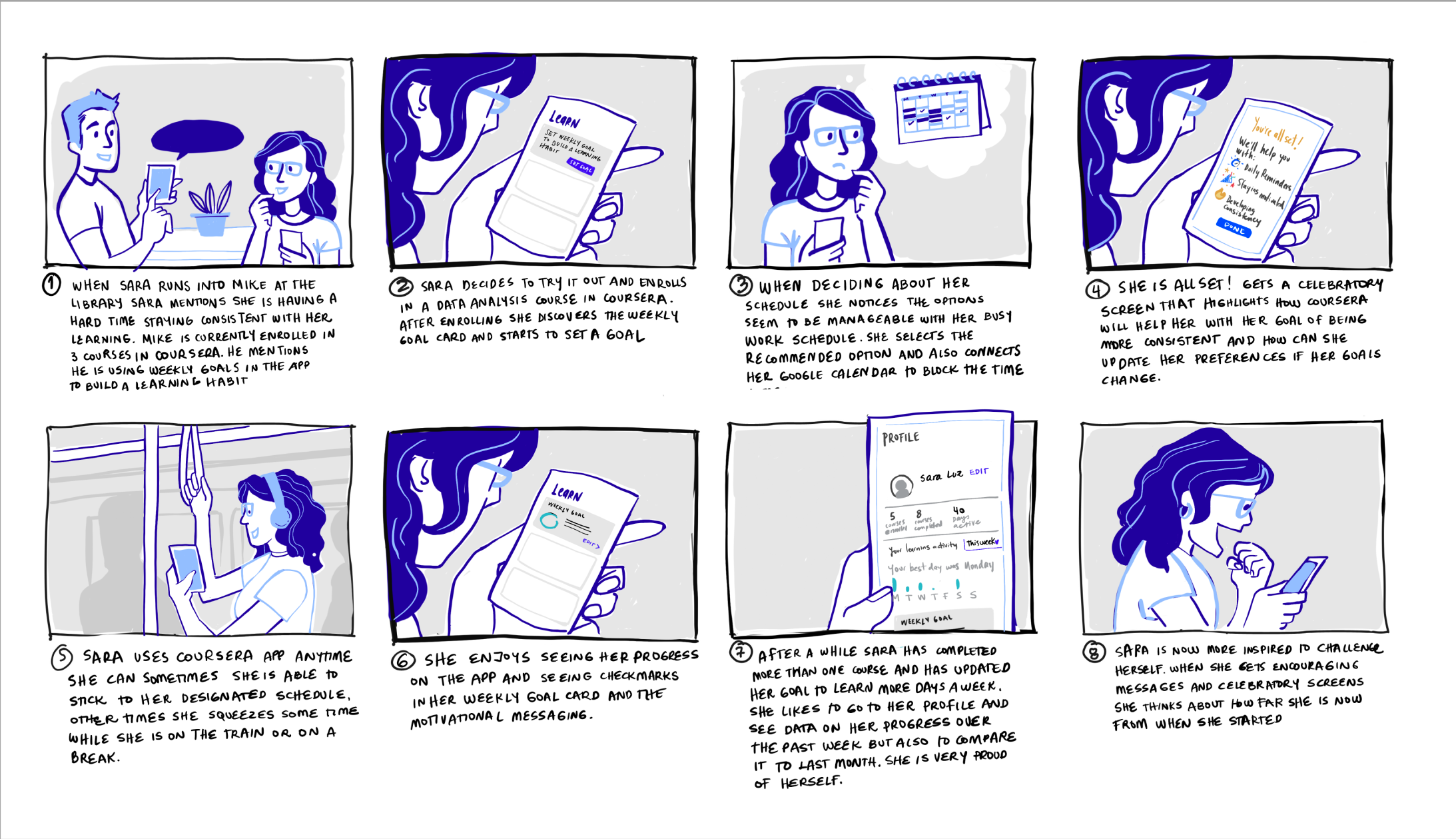
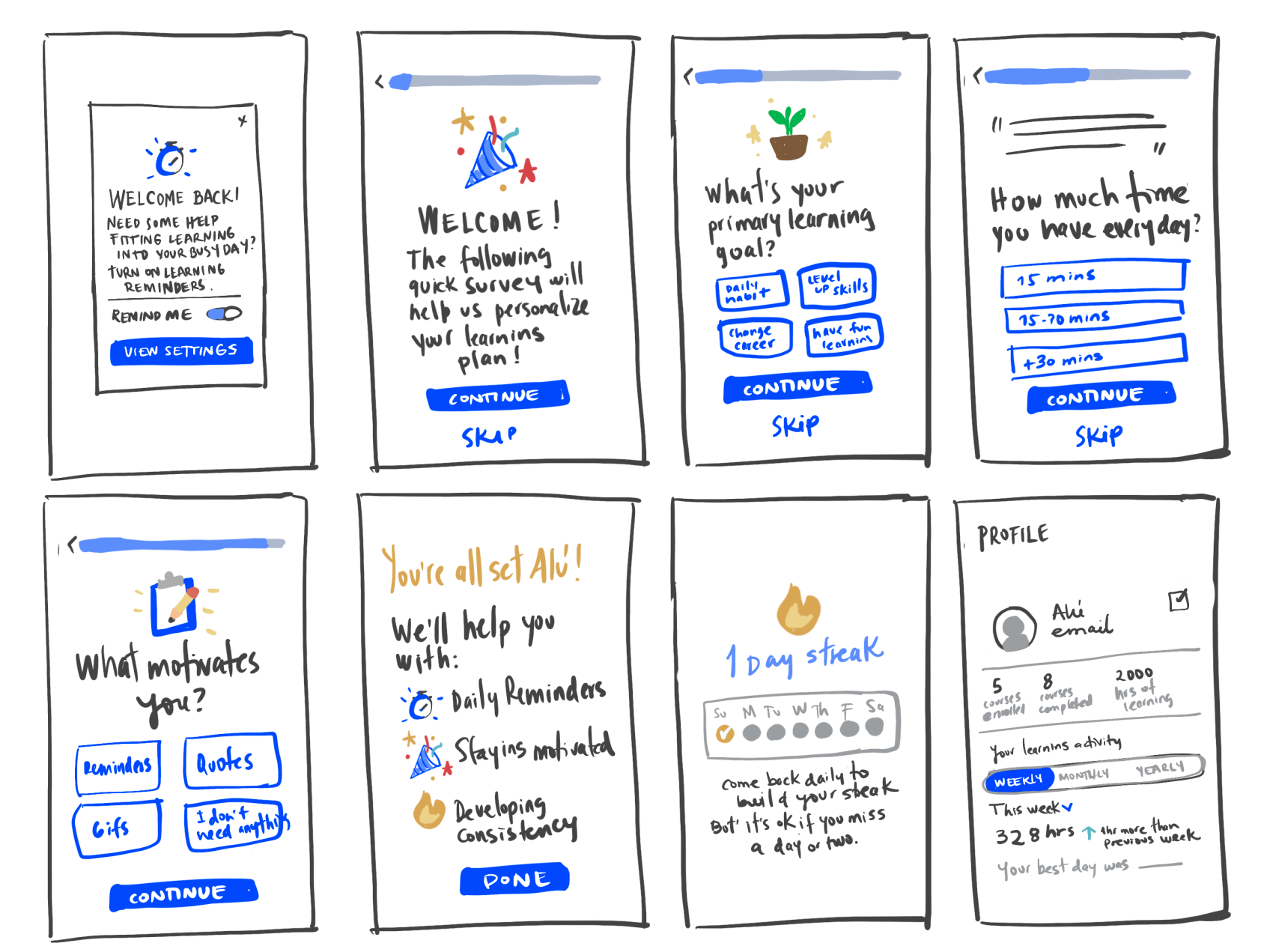
I transformed brainstorming insights into user journeys and storyboards, helping the team build shared empathy and understand the dynamic, on-the-go context of mobile learning. From there, I developed early wireframes to visualize solutions and facilitate discussions with stakeholders.
Jobs To Be Done
Through research and user interviews, we identified key JTBDs that guided my mobile design strategy:
✔ Stay motivated: Users want progress tracking, goal-setting, and reward systems to remain engaged and focused on learning.
✔ Maximize learning: Users want personalized pathways tailored to their goals and preferences to reach their full potential.
✔ Learn anywhere, anytime: Users need seamless accessibility to fit learning into busy schedules and dynamic contexts.
These JTBDs directly informed the design of features, interactions, and flows to create a mobile experience that truly supports learner goals.
Design Solution
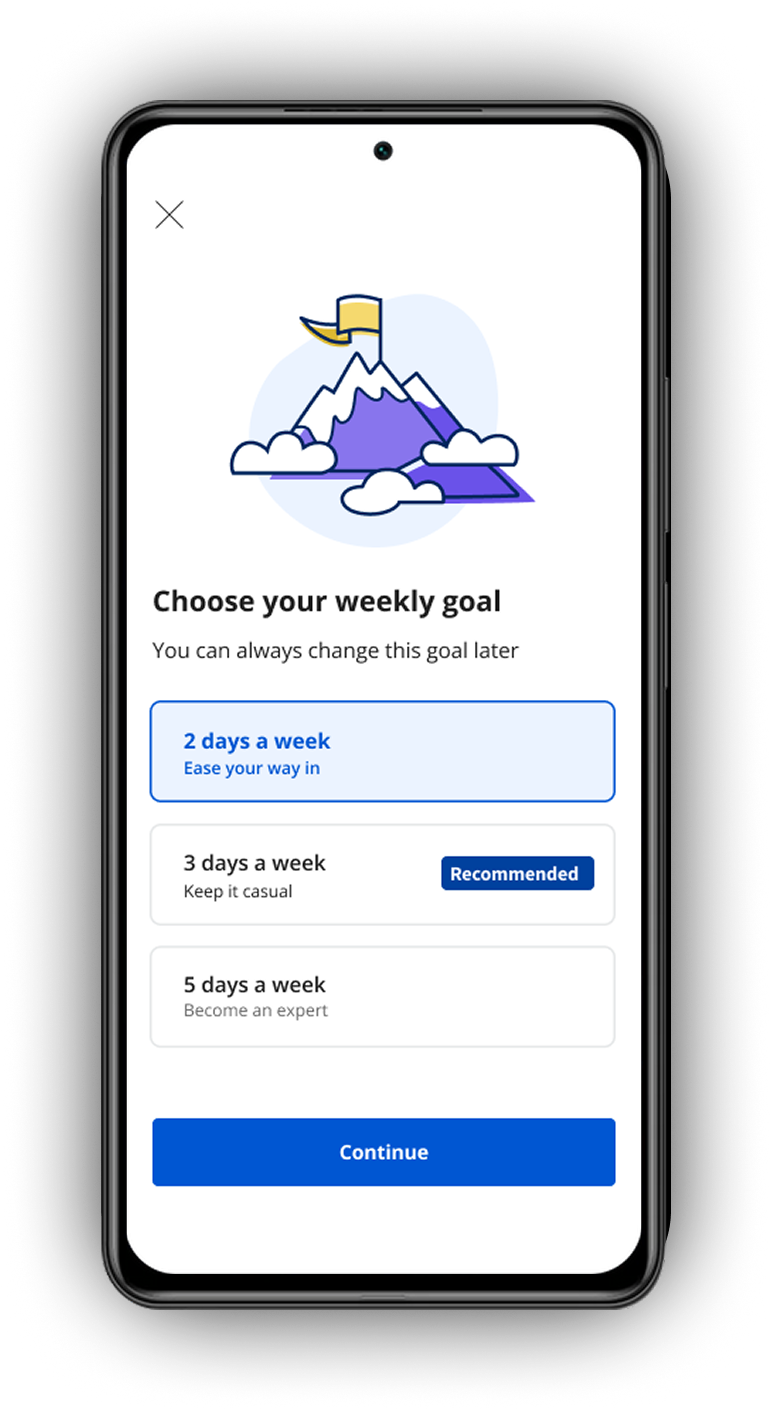
Step 1 — Goal setting
Designs encouraged learners to define clear learning goals. Research in educational contexts shows that timely pop-ups and push notifications can increase student retention by up to 18%. By making goals visible and actionable, learners are more motivated to complete their courses.
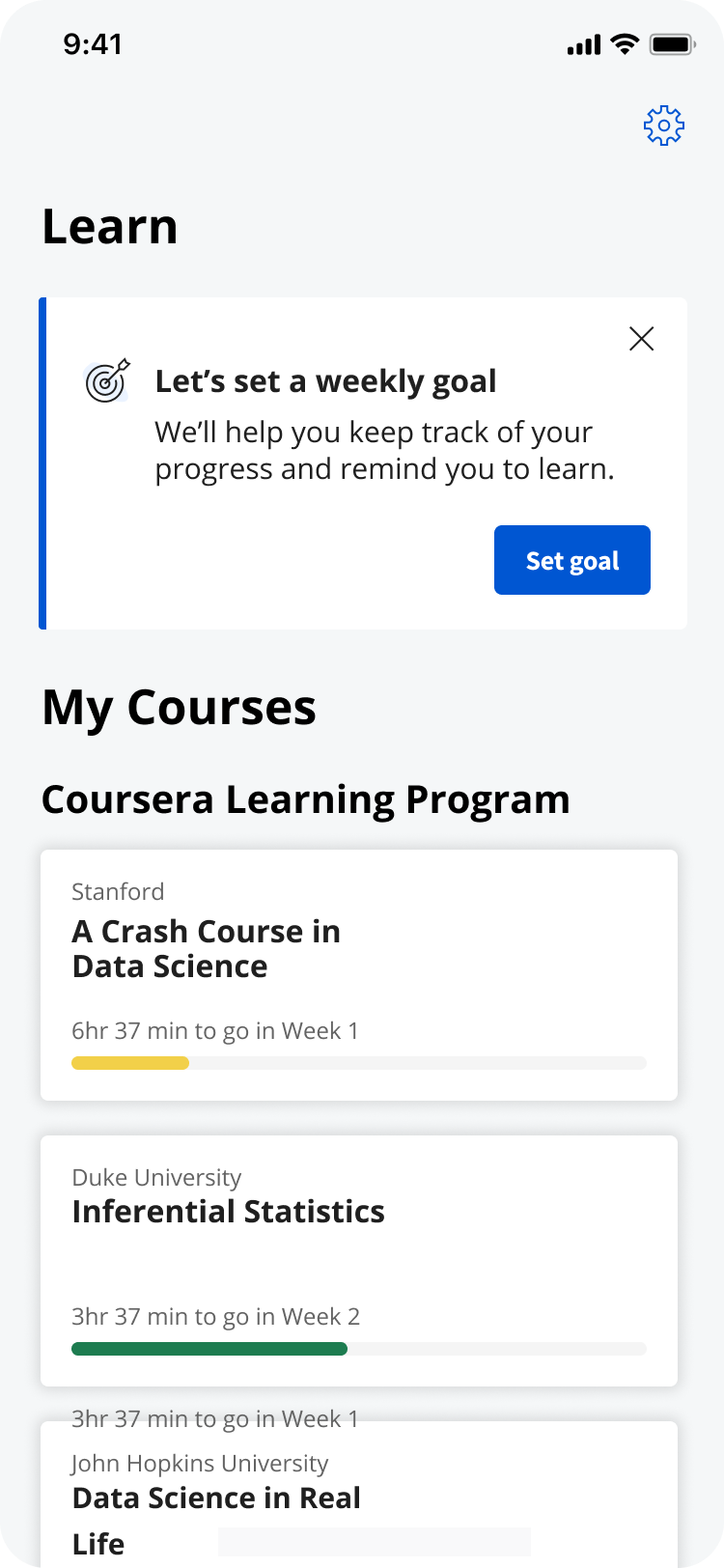
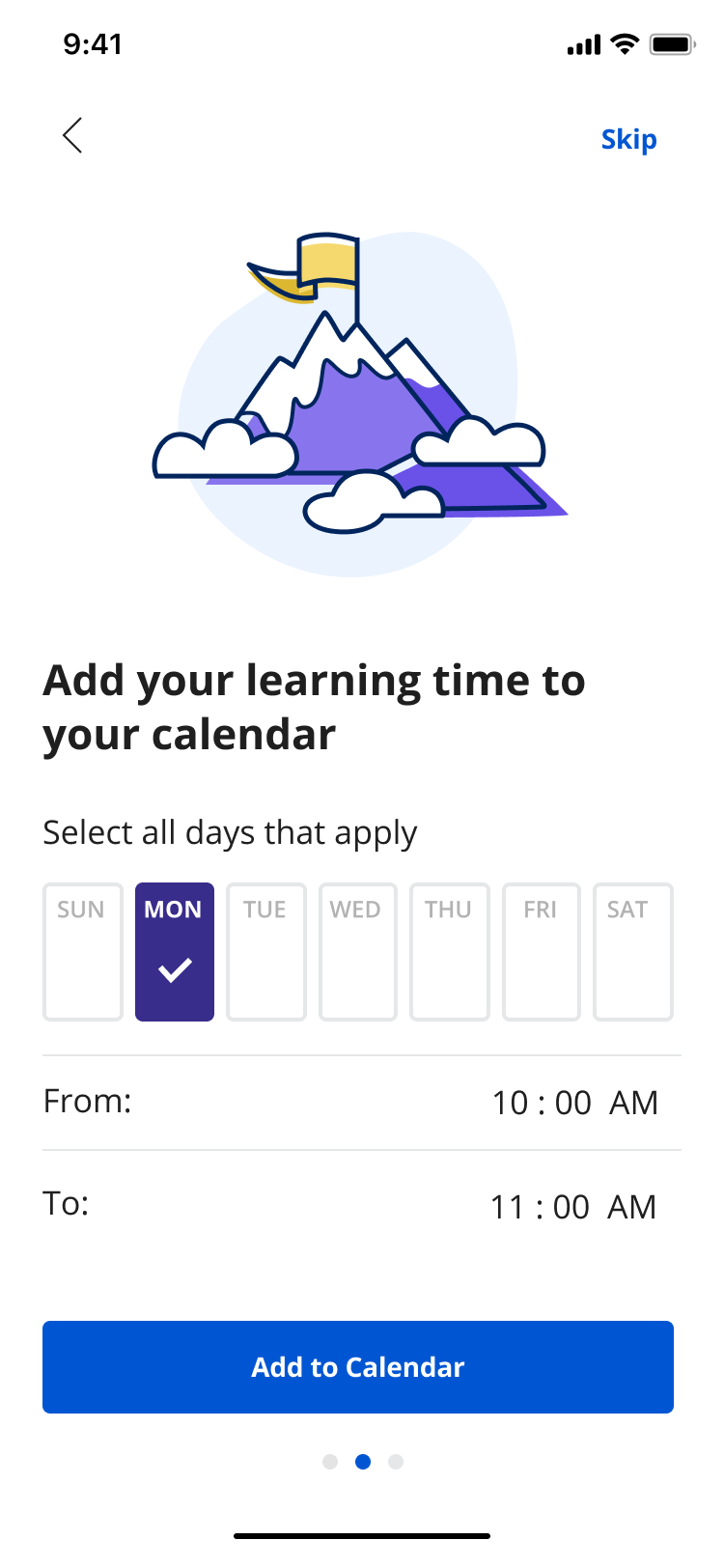
Set a goal: early iteration
Step 2 — Setting a Reminder
Flexible reminders were introduced based on design reviews, iterations, and user interviews. These help learners stay engaged by addressing memory lapses—studies suggest that 50–70% of everyday memory failures involve forgetting intentions. Reminders provide timely prompts to keep learners on track.
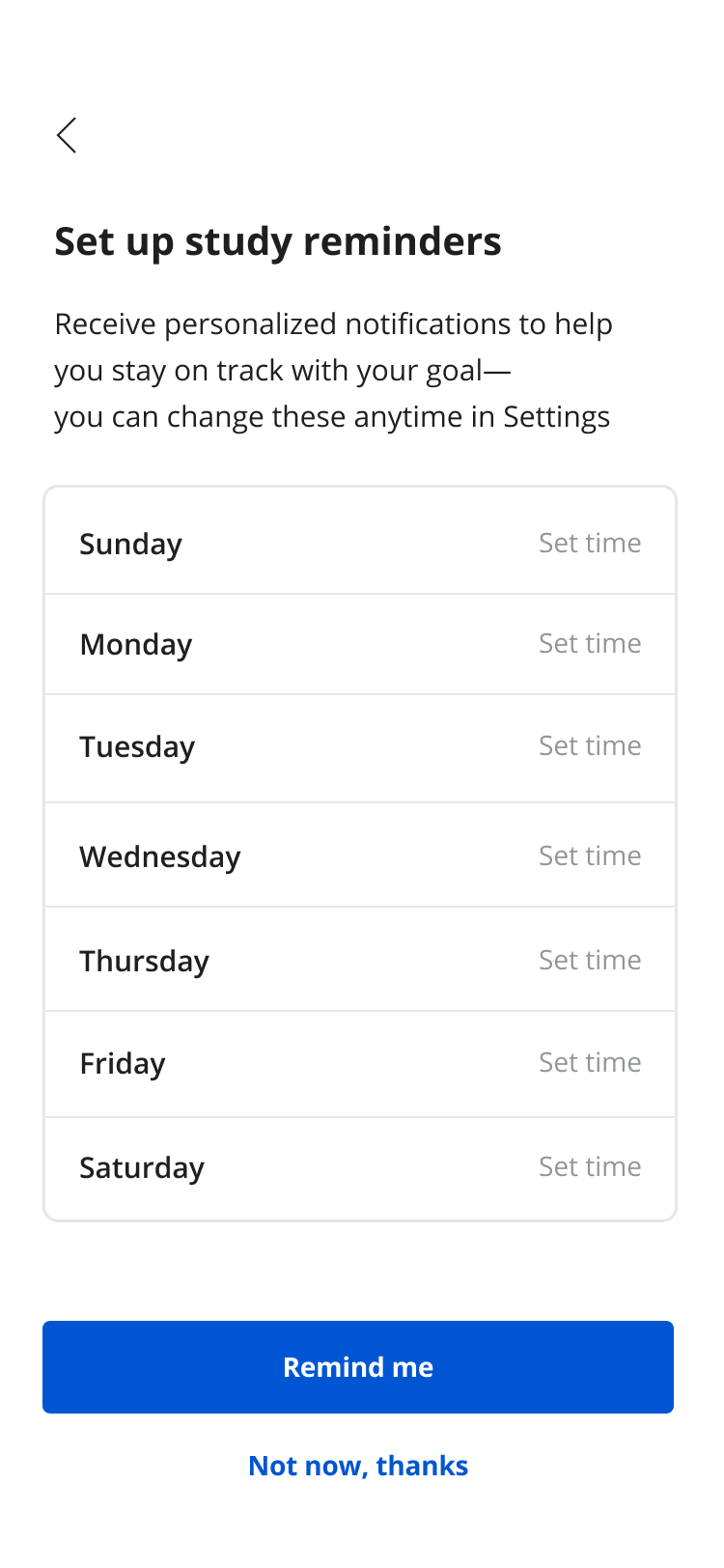
2. Set reminder
Step 3 — Communicate Progress
Progress bars leverage the Goal Gradient Effect, giving learners transparency about how much they’ve completed and how far remains. Research shows that visual progress indicators enhance focus, enjoyment, and overall satisfaction, helping users stay motivated throughout their learning journey.
Step 4 — Usability Test
I collaborated with the PM to test UX efficiency, task success, goal completion times, and identify blind spots. Measuring motivation was challenging, so we relied on behavioral cues like body language and verbal feedback. Future iterations will refine these methods through post-test interviews and surveys to capture deeper insights into learner motivation.
Data Driven Design
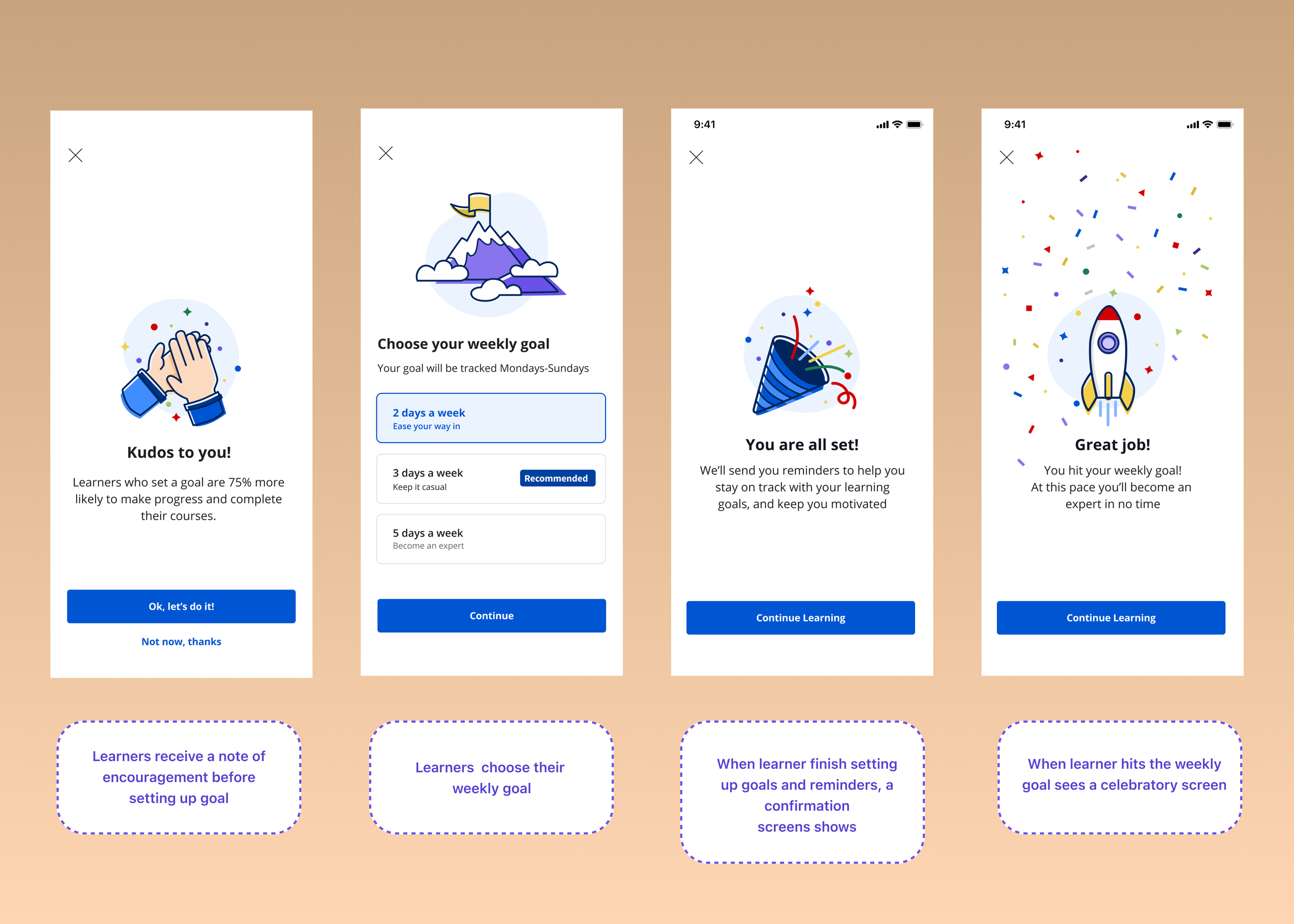
User testing highlighted the importance of motivational cues, celebrating achievements and encouraging continued engagement. Participants also expressed interest in seeing how goal-setting impacts other learners, which informed the inclusion of social or comparative elements.
See sample screens below:
Early results were promising, showing a 3% increase in module completion rates. However, over time, these gains plateaued. Data indicated that awareness wasn’t the issue—most learners interacted with the feature at least once—suggesting other factors limited long-term impact.
Impact
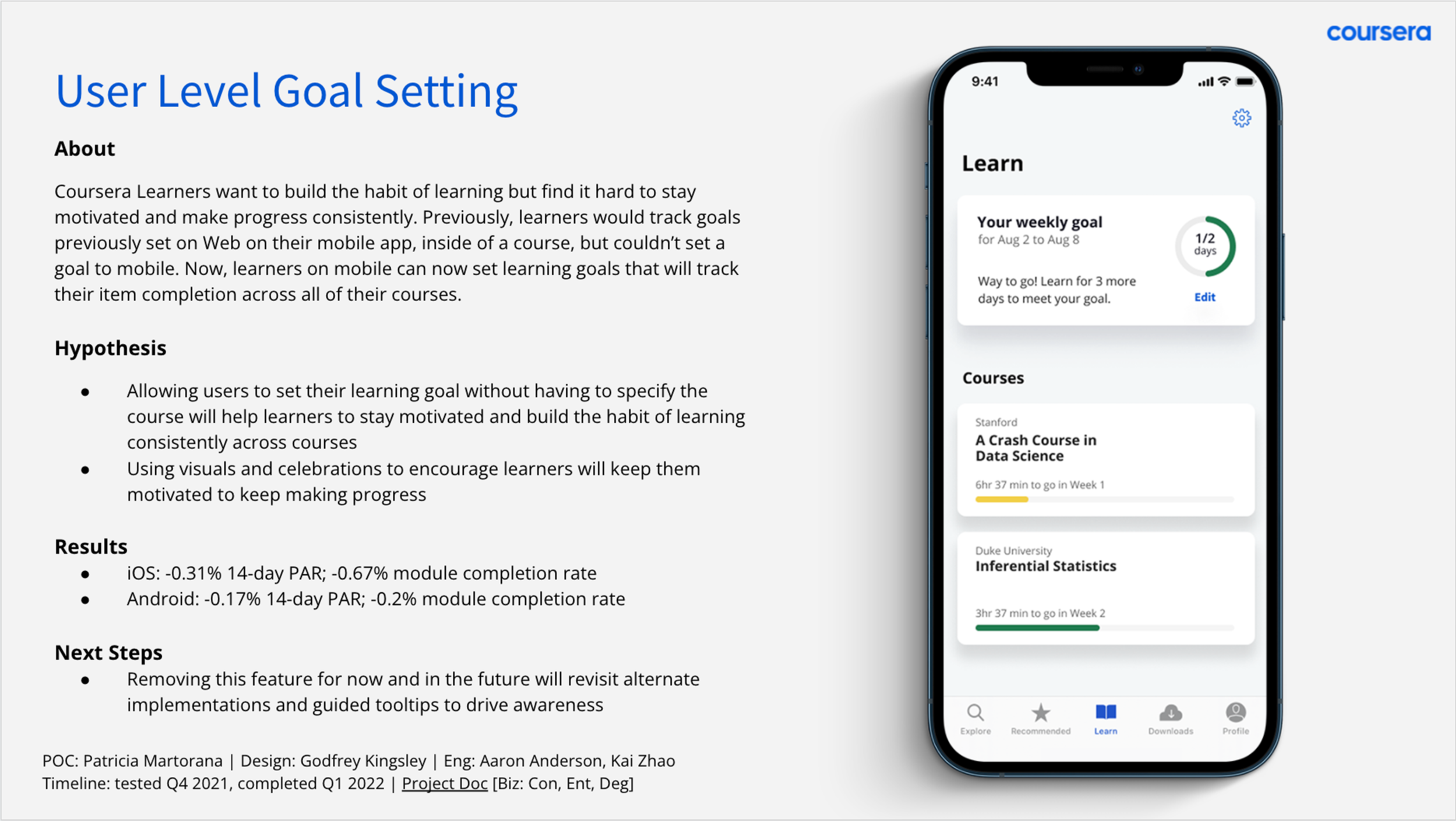
This experience showed us that early curiosity can spark engagement, but long-term impact depends on sustained value within the user’s journey.
Our research approach could have further challenged assumptions rather than primarily confirming them. For example, tailoring goal-setting to individual courses rather than across all courses might have increased relevance and engagement.
Moving forward, I recommended developing a structured mobile strategy with defined mobile user personas. Supporting this, marketing initiatives and sustained feature awareness would help introduce and reinforce new mobile functionality to users.