

User Management Architecting
Redesigning enterprise healthcare workflows to improve operational efficiency and trust.
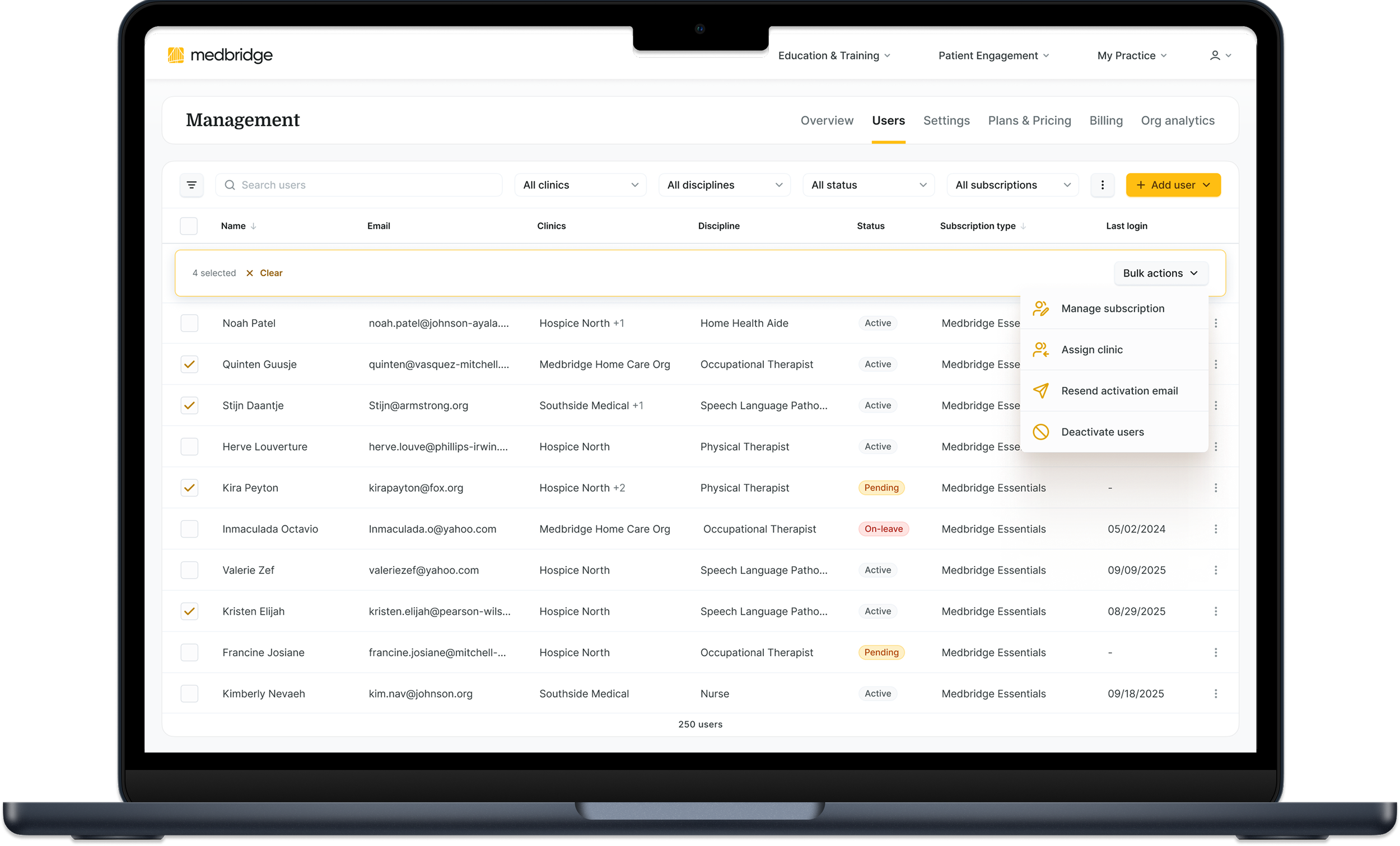
Overview:
MedBridge is a healthcare platform serving clinicians and healthcare organizations through education, care management, and digital rehabilitation tools.
I led the redesign of a critical enterprise workflow used by organization administrators to manage users, permissions, subscriptions, and operational administration. Rather than treating the project as a UI refresh, I reframed it as a systems-level redesign focused on improving workflow continuity, operational trust, and scalability.
Metrics
~66% faster completion of common admin workflows (beta validation)
Reduced support dependency
Improved workflow continuity
Established a scalable foundation for future automation

The Challenge
The legacy experience had evolved over time without a cohesive operational structure, making everyday administrative tasks more difficult than they needed to be.
Key challenges
Fragmented workflows
High cognitive load
Low confidence in system data
Inefficient filtering and navigation
Growing support dependency
My Role
Lead Product Designer
I led product discovery, workflow analysis, information architecture, interaction design, and cross-functional collaboration with engineering, customer support, and business stakeholders.
Rather than simply redesigning screens, I helped reframe the initiative from a UI refresh into a systems-level operational redesign.
Design Discovery
Understanding the problem before designing the solution
I combined workflow analysis, stakeholder interviews, support ticket reviews, analytics, heatmaps, and competitive research to understand where operational friction existed.
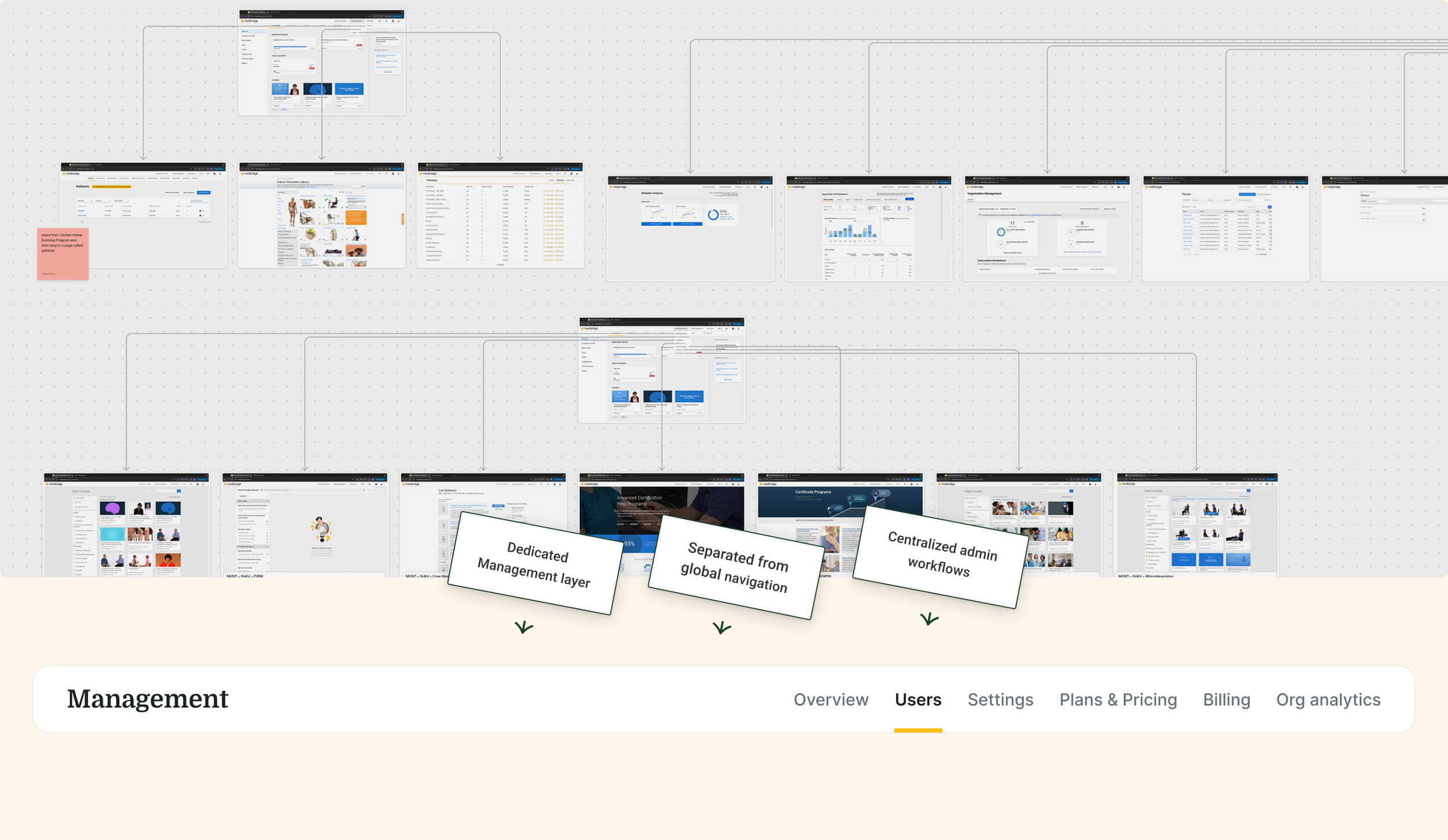
Restructuring the System Architecture
The deeper issue wasn’t just the People page, it was how the platform was organized.
I ran an IA audit and mapped core workflows end-to-end, which exposed a structural gap: there was no dedicated space for administrative work.
In partnership with engineering, I introduced a management layer - a centralized command center for org admins.
This was a structural shift, aligning the system with how admins actually work.
Some Key Design Decisions
With the system structure clarified, I focused on a set of design decisions to improve scalability and workflow efficiency within this new foundation.
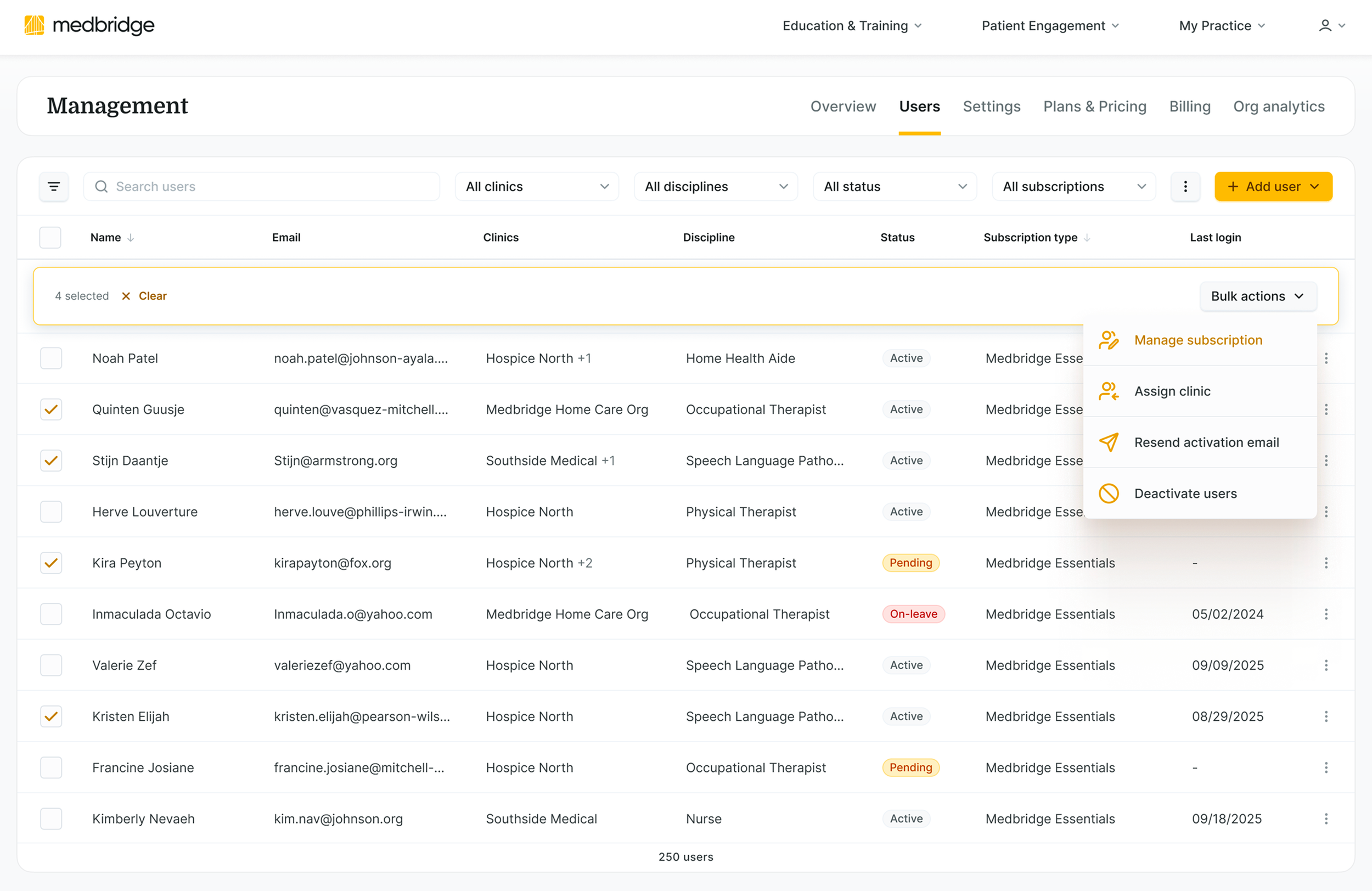
Enabled Bulk Operations
Decision: Shifted from individual edits to scalable batch actions.
Tradeoff: Introduced risk of large-scale errors, mitigated through confirmation patterns, guardrails, and clear system feedback.
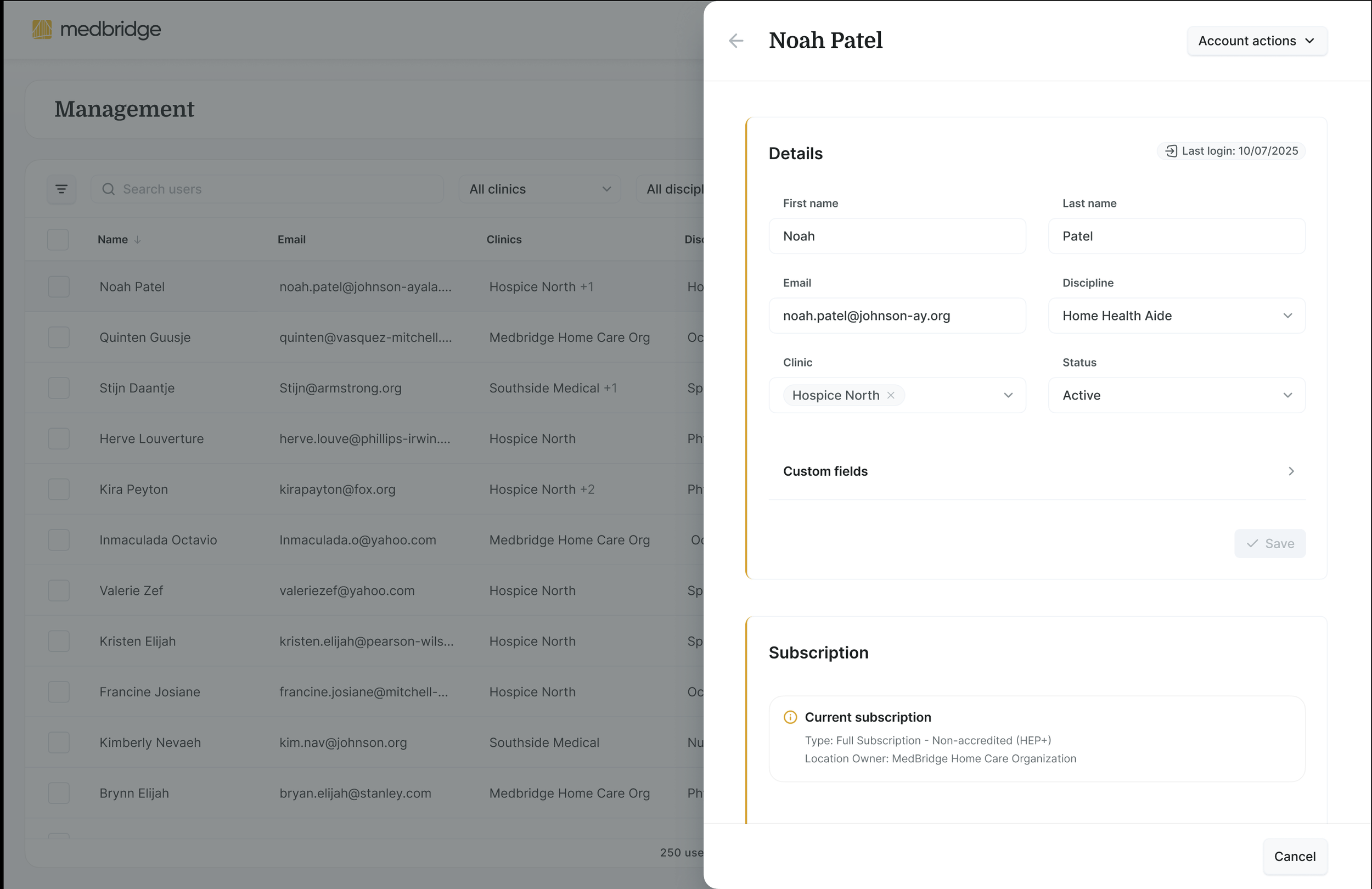
Preserved Context During Editing
After: Off-Canvas Panel (Redesign)
Enabled in-context editing to reduce navigation and preserve workflow continuity.
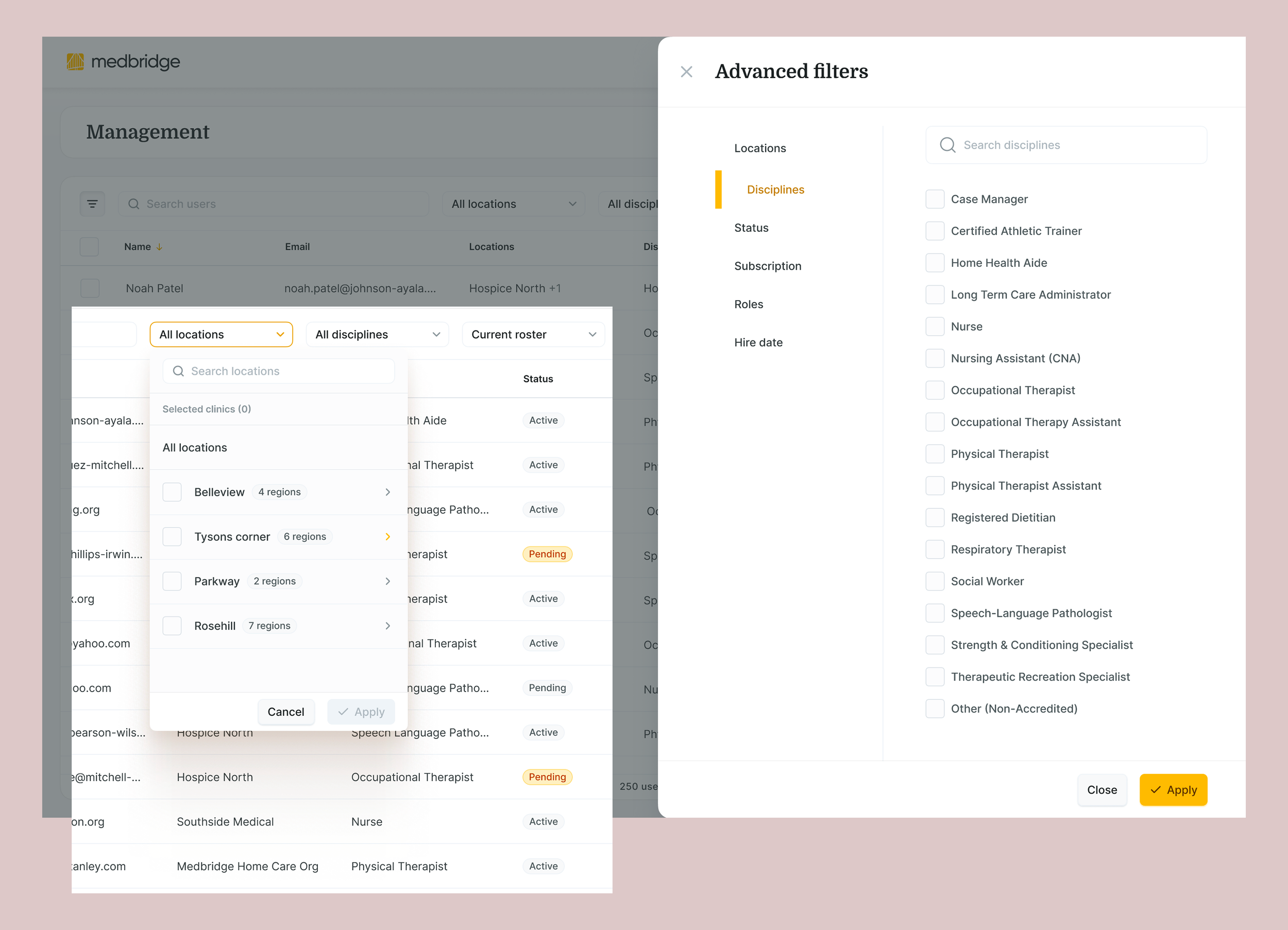
Scalable Filtering
Redesigned filtering around how administrators actually organize and retrieve users at enterprise scale.
Results
The redesign improved operational efficiency and reduced support dependency while giving administrators greater confidence in managing users at scale.
Highlights
~66% faster task completion during beta validation
Projected ~22% decrease in support tickets related to user management
Reduced workflow interruptions
Increased confidence during administrative tasks
Stronger foundation for future automation
Looking Ahead
This work revealed a strategic opportunity to evolve the platform toward AI-enabled administrative automation by leveraging engagement data to identify underutilized subscriptions, the system could shift from reactive administration to proactive intelligence.
Design decisions were intentionally made to support this future state.
One of the biggest lessons from this project was that many operational challenges are ultimately trust and clarity problems. By redesigning the underlying workflow instead of simply refreshing the interface, we created a more scalable foundation that better supports both administrators and the business.
Interested in the full story?
This case study highlights the outcome and key decisions.
During interviews, I enjoy walking through:
How discovery changed the project's direction
The tradeoffs behind each major design decision
How I aligned engineering and stakeholders around a systems-level solution
The testing and iteration process that refined the final experience